
Heltec V4 Meshtastic WiFi LoRa 32 Dev-Board Case Set with 3000mAh Battery Soft Antenna ESP32 SX1262 Solar Powered


Heltec V4 Meshtastic WiFi LoRa 32 Dev-Board Case Set with 3000mAh Battery Soft Antenna ESP32 SX1262 Solar Powered
SPECIFICATIONS
Battery applicable: 3.3-4.4V lithium battery
Bluetooth: Bluetooth (LE), Bluetooth 5, Bluetooth Mesh
Brand Name: Heltec Automation
Certification: CE,RoHS
Dimensions: 51.7 * 25.4* 10.7mm
Frequency: High-power version: 863-928MHz
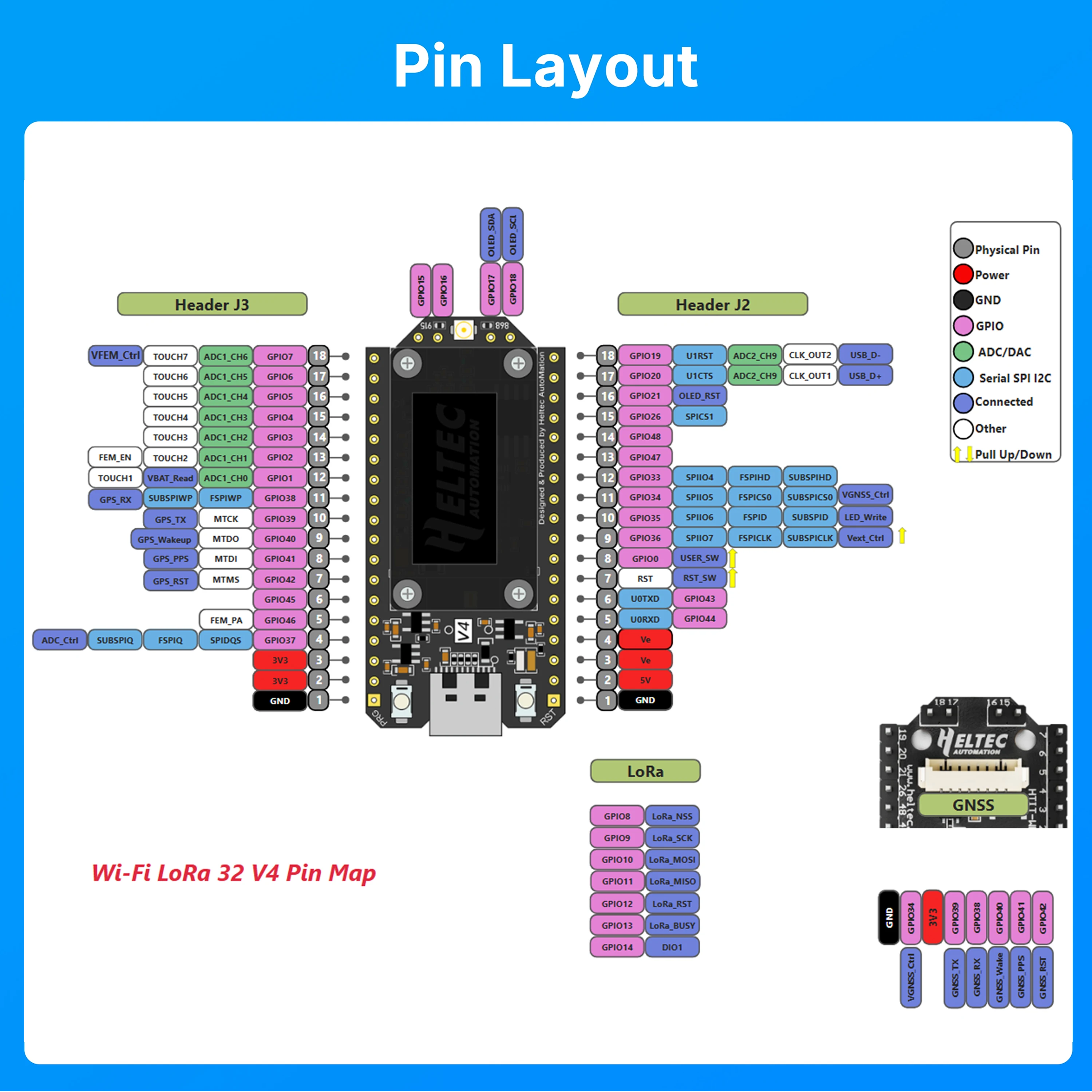
Hardware Resource: 7*ADC1 + 2*ADC2; 7*Touch; 3*UART; 2*I2C; 2*SPI; etc.
High-concerned chemical: None
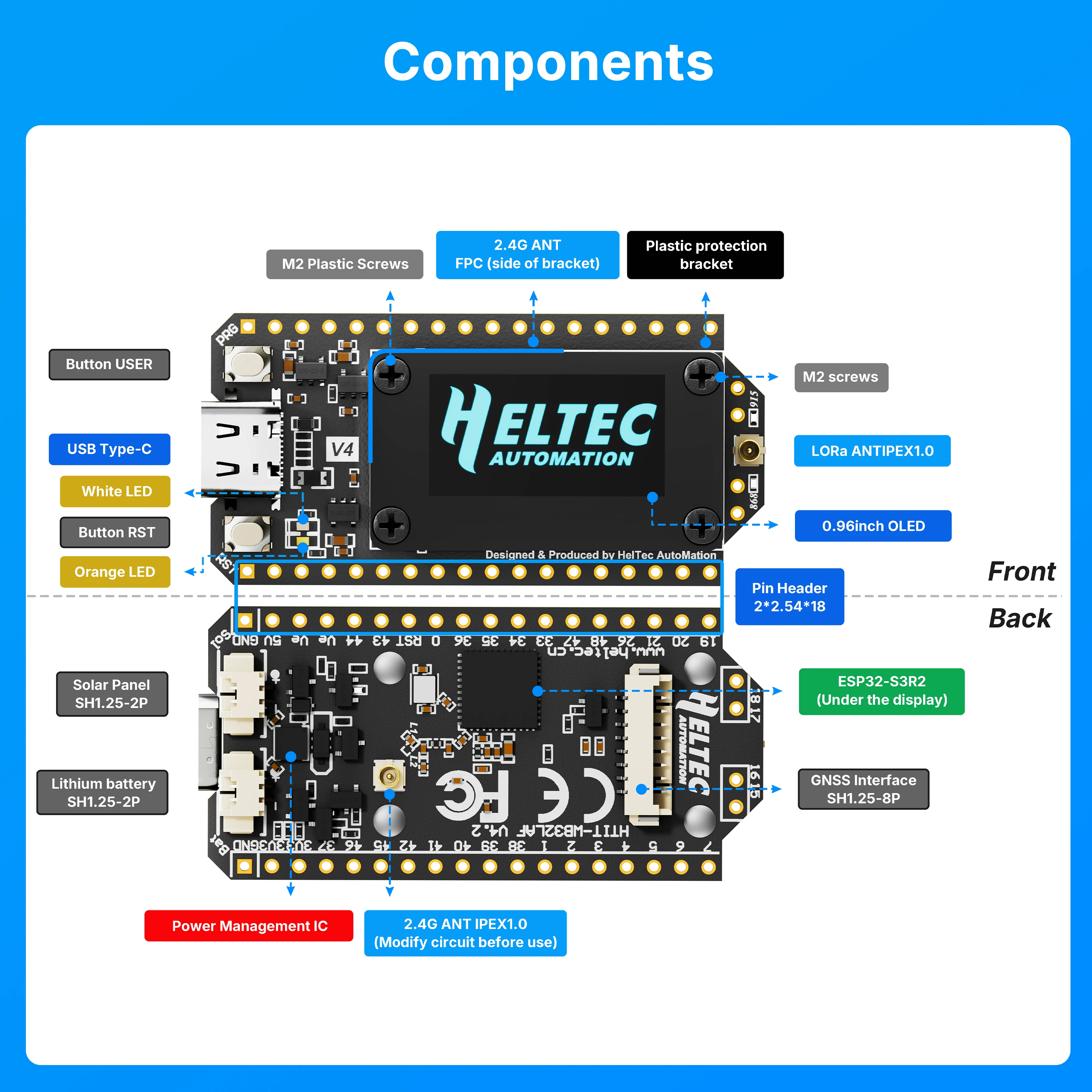
Interface: Type-C USB; SH1.25*2 Pin lithium battery interface; SH1.25*8 Pin interface; LoRa ANT(IPEX1.0); 2.4G ANT(IPEX1.0)
LoRa Chip: SX1262
MCU: ESP32-S3R2
Max. Receiving sensitivity: -137dBm@SF12 BW=125KHz
Max. TX Power: High-power version: 28 ±1 dBm
Memory: 384KB ROM; 512KB SRAM; 16KB RTC SRAM; 2MB PSRAM; 16MB Flash
Model Number: PL103665
Nominal Capacity: 3000mAh
Operating Temperature: -20 ~ 70 ℃
Origin: Mainland China
Product Name: WiFi LoRa 32(V4)
Set Type: Batteries Only
Type: Li-Ion
Wi-Fi: 802.11 b/g/n, up to 150Mbps
●More detailed WiFi LoRa 32(V4) introduction-Scan&Watch for more on
Youtube.
Heltec WiFi LoRa 32 V4 | ESP32-S3 LoRa Development Board Upgrade | Long Range
IoT Communication
Docs & Resource
Summary
|
Parameters |
V3 |
V4 |
|
MCU |
ESP32-S3FN8 |
ESP32-S3R2 |
|
Flash |
8MB (integrated) |
16MB (external) |
|
USB to Serial Chip |
CP2102 |
Removed CP2102 |
|
Power Management |
Standard Li-ion management IC |
Upgraded IC supporting solar input |
|
Solar Input |
Not available |
Added SH1.25-2P interface |
|
LoRa TX Power |
21±1dBm |
28±1dBm |
|
2.4G Antenna |
Metal spring antenna |
FPC antenna + IPEX connector |
|
GPS Interface |
Not available |
Added SH1.25-8Pin interface |
|
Peripheral I/F |
36-pin |
40-pin |
|
Screen Connection |
Soldered |
Soldered + B2B connector |
|
Pin Craft |
Silver-plated |
Gold-plated |
|
Screen Bracket |
Partial protection |
Full protection |
Main Features
-
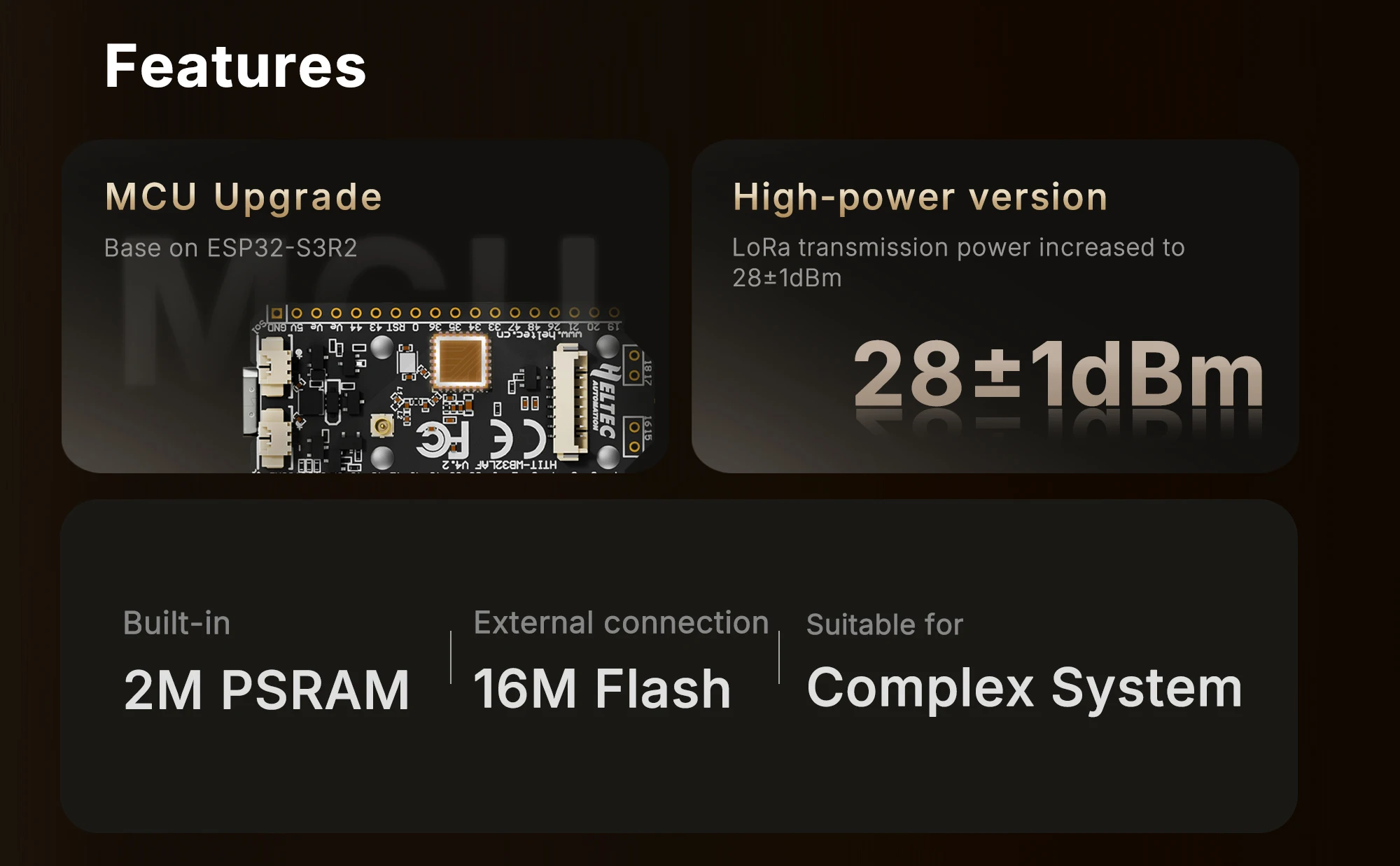
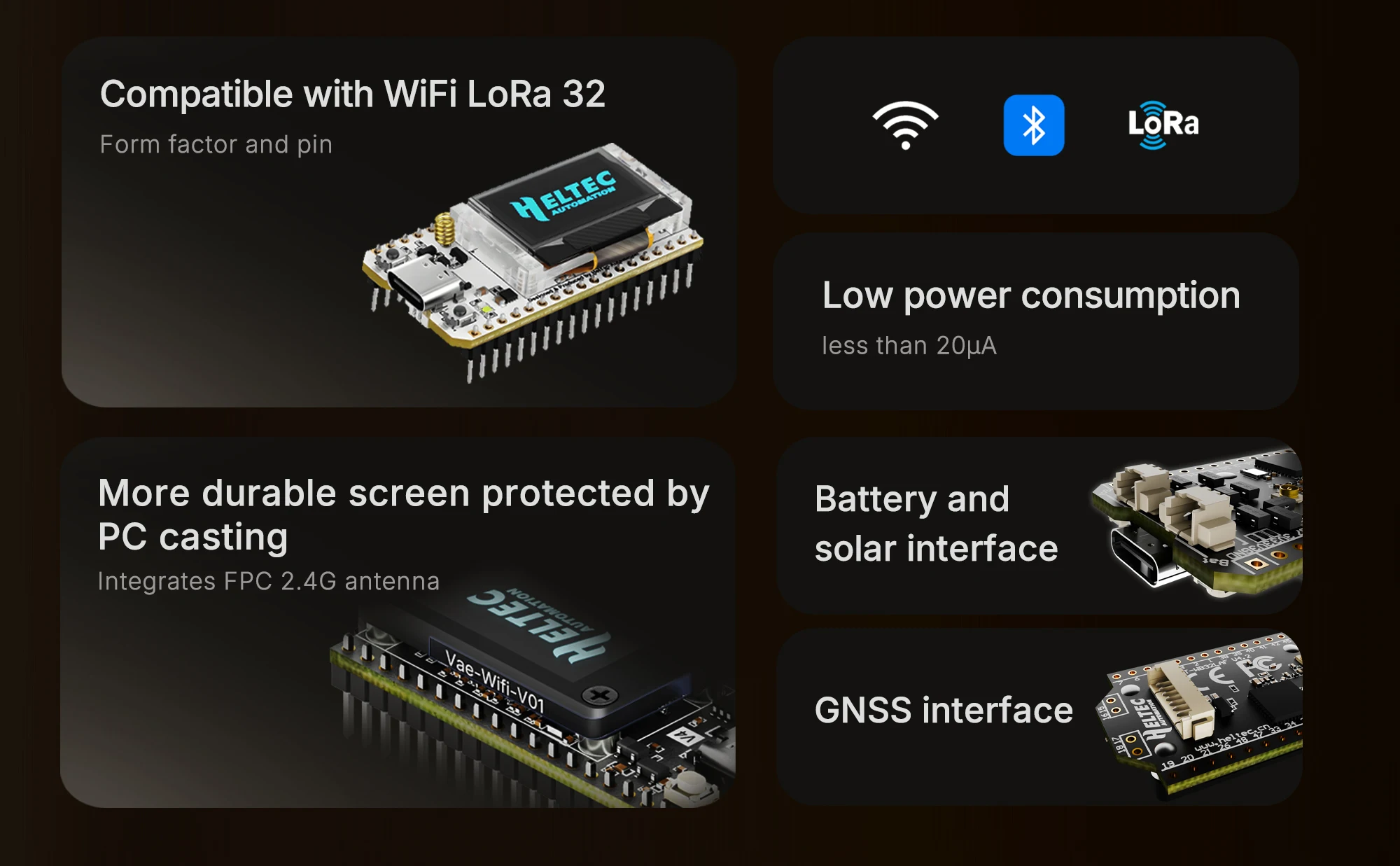
Base on ESP32-S3R2 & SX-1262, supports Wi-Fi b/g/n, BLE, and LoRa communication.
-
2MB PSRAM and 16MB external Flash, more suitable for UI and complex system .
-
High-power version with LoRa transmission power increased to 27±1dBm.
-
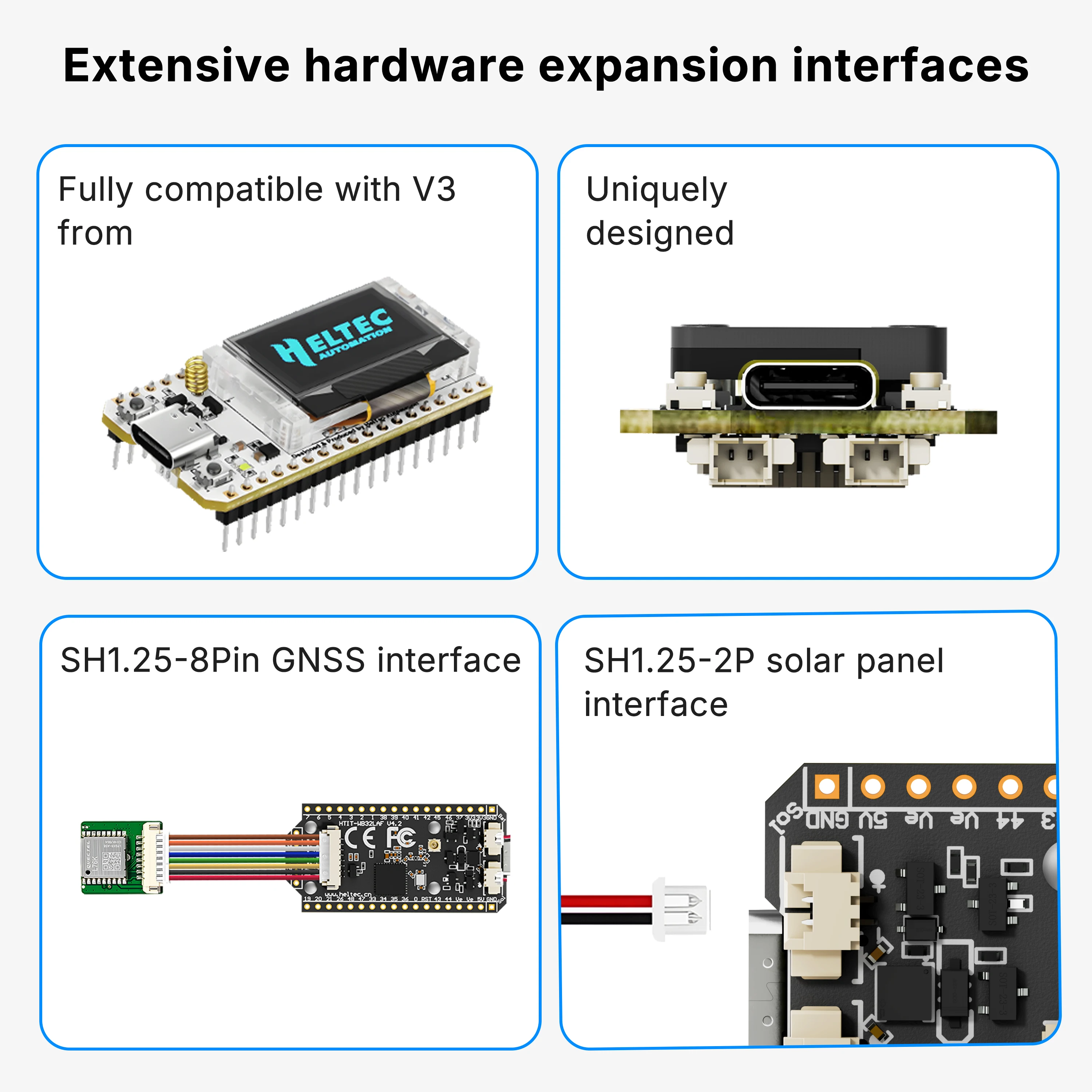
Form factor and pin compatibility with WiFi LoRa 32 V3.
-
PC casing protects the screen and integrates FPC 2.4G antenna.
-
Added SH1.25-2P solar panel interface.
-
Optimized lithium battery management.
-
Added SH1.25-8Pin GNSS interface.
-
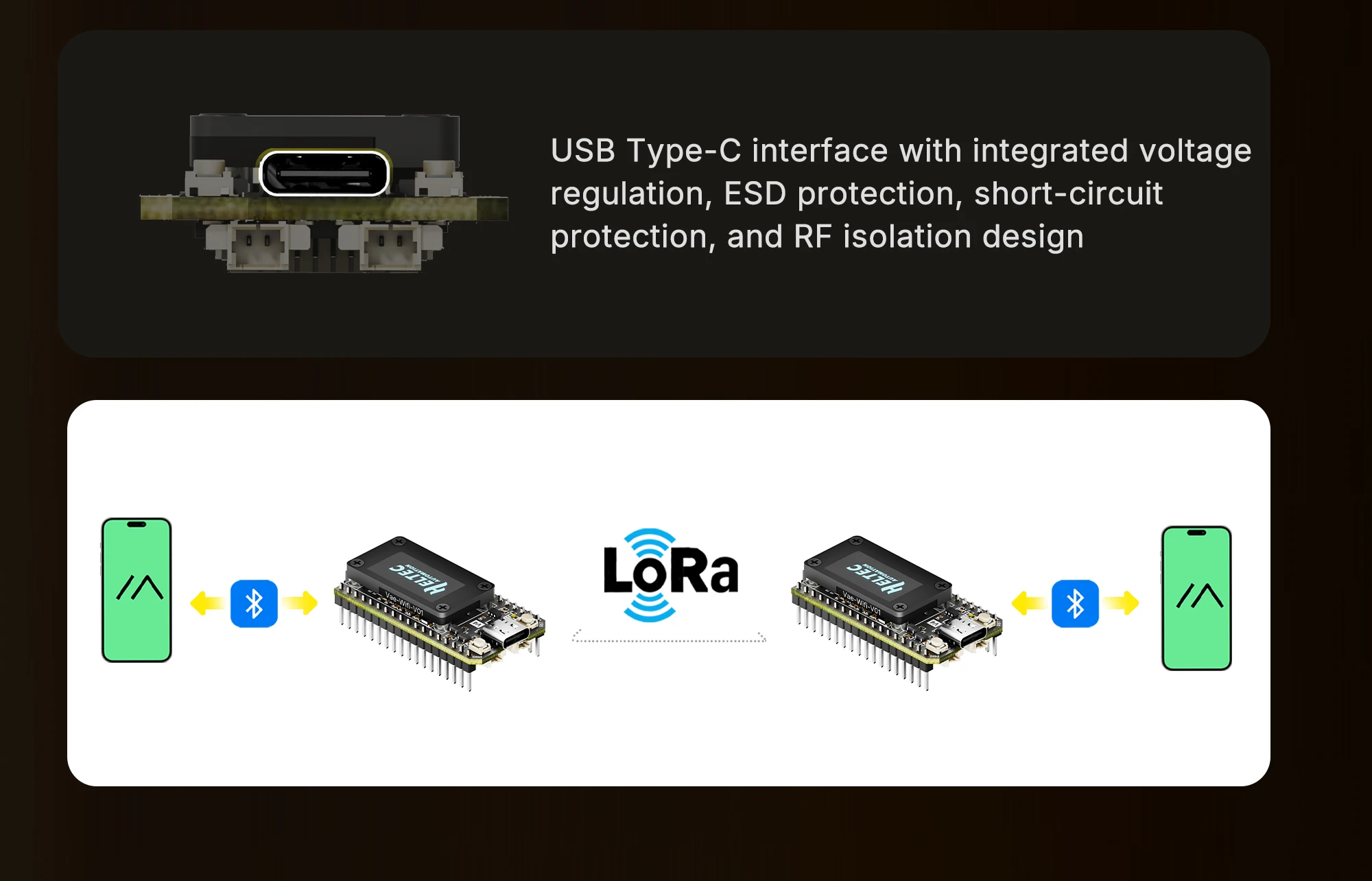
USB Type-C interface with integrated voltage regulation, ESD protection, short-circuit protection,
and RF isolation design.
-
Low power consumption is less than 20μA.
Specifications
|
Parameters |
Description |
|
MCU |
ESP32-S3R2 (Xtensa®32-bit lx7 dual core processor) |
|
LoRa Chip |
SX1262 |
|
Frequency |
High-power version: 863-928MHz |
|
Max. TX Power |
High-power version: 28 ±1 dBm |
|
Max. Receiving sensitivity |
-137dBm@SF12 BW=125KHz |
|
Wi-Fi |
802.11 b/g/n, up to 150Mbps |
|
Bluetooth |
Bluetooth (LE), Bluetooth 5, Bluetooth Mesh |
|
Hardware Resource |
7*ADC1 + 2*ADC2; |
|
Memory |
384KB ROM; 512KB SRAM; 16KB RTC SRAM; 2MB PSRAM; 16MB Flash |
|
Interface |
Type-C USB; |
|
Battery applicable |
3.3-4.4V lithium battery |
|
Operating Temperature |
-20 ~ 70 ℃ |
|
Dimensions |
51.7 * 25.4* 10.7mm |
FAQ
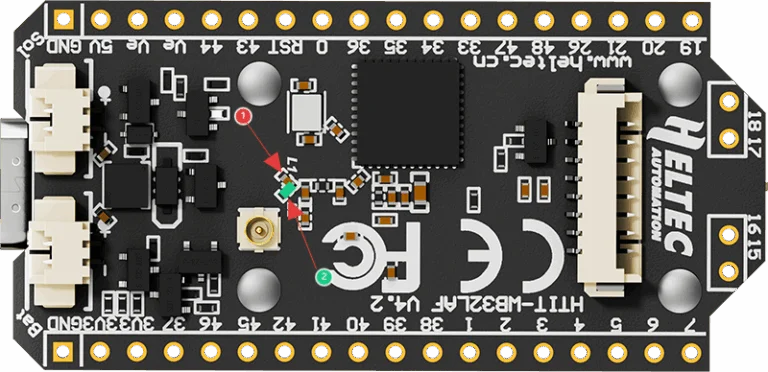
1. 2.4GHz Antenna
The default 2.4G FPC antenna is located on the side of the plastic screen bracket.
If you wish to use an IPEX-connected 2.4G antenna, you need to remove the inductor marked as ① in
the diagram below, and add a 0-ohm resistor (or other conductive metal or cable) at the position
marked ② to connect to the IPEX interface.
2. hat development methods does it support?
●Arduino
●Micro Python
●Platform.io
●Espressif IDE
We strongly recommend using Arduino. We have complete technical support and provide complete
LoRaWAN code for ESP32 Arduino framework.
3. hat’s the battery socket type?
You can find this type of socket by search “SH1.25 x 2”.
4. Can I order a version without the OLED display?
Of course, you can contact our sales staff and provide your ideas.
5. Are V3 and V4 compatible?
They are compatible in most scenarios.
Since V4 uses the same series of chips as V3, features the same OLED, and has an almost identical
pin layout, V3 and V4 can be used interchangeably in the majority of cases.
However, due to the increased transmit power, the transmit power settings in some code may no
longer correspond directly to the actual output.
6. Failed to upload code
Please try the following steps:
1.Try using a different USB cable.
2.Enter BootLoader mode. There are two methods to enter this mode:
●Hold down the PRG button, connect the USB-C cable, then release the PRG button.
●Connect the USB-C cable, hold down the PRG button, press the RST button once, then release the
PRG button.