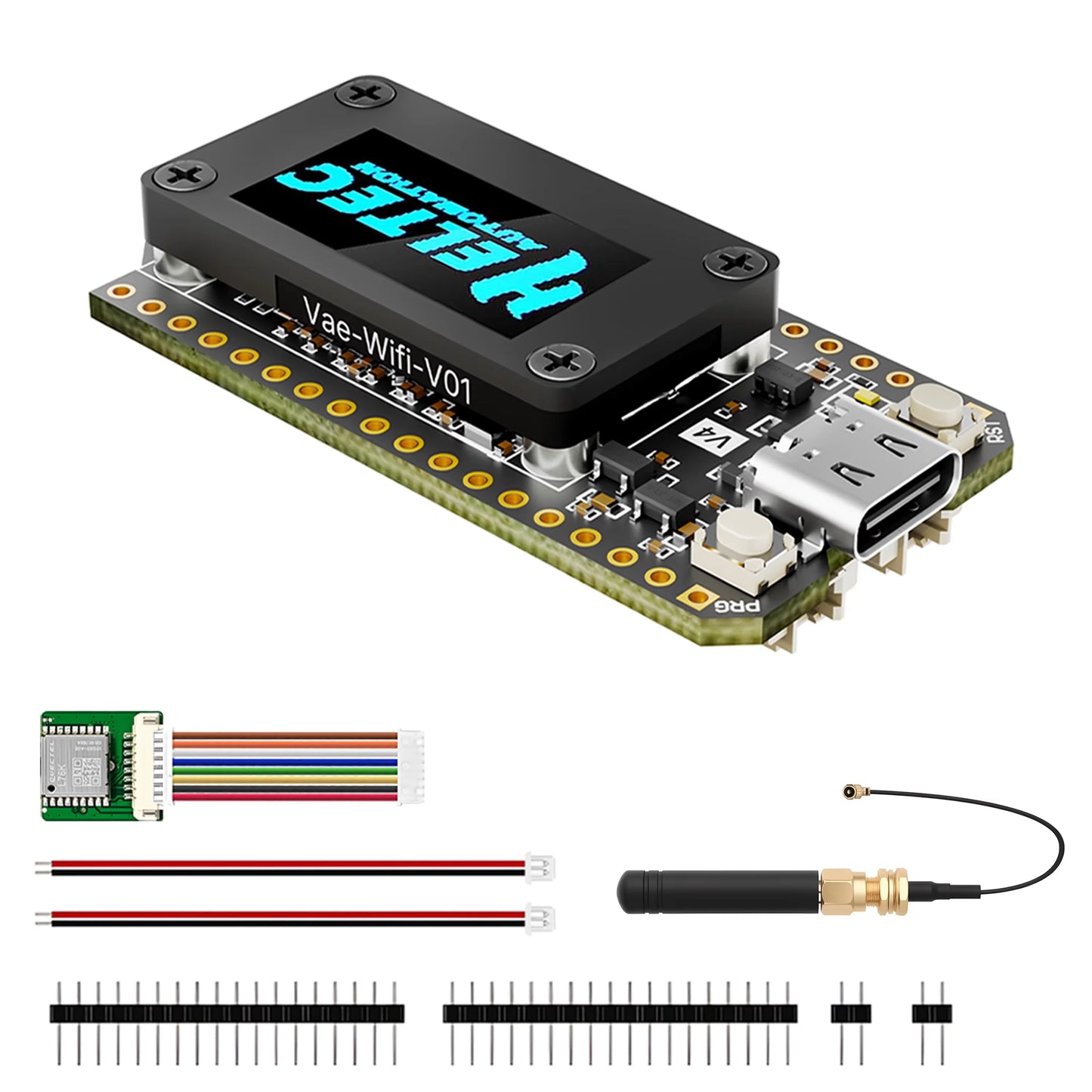
Heltec V4 OLED for Meshtastic and Meshcore ESP32-S3 SX1262 LoRa 32 Dev-Board WiFi Bluetooth PSRAM 16MB For Arduino
Heltec V4 OLED for Meshtastic and Meshcore ESP32-S3 SX1262 LoRa 32 Dev-Board WiFi Bluetooth PSRAM 16MB For Arduino
Couldn't load pickup availability
SPECIFICATIONS
Accessory Type: Extension Board
Battery Included: no
Bluetooth: Bluetooth LE, Bluetooth 5, Bluetooth mesh
Brand Name: Heltec Automation
Choice: yes
Compatible With: Heltec V4
Dimensions: 51.7 * 25.4* 10.7mm
Frequency: 863~928 MHz
High-concerned chemical: None
LoRa Chip: SX-1262
Master Chip: ESP32-S3R2
Max. Receiving Sensitivity: -137 dBm
Max. TX Power: 28±1dBm
OLED: SSD1315(0.96Inch, 128*64 resolution)
Operating Temperature: -40~85℃(OLED operating temperature: -40~ 70°C)
Power Supply: 5V@USB, 3.3-4.2V@Battery
Typical Application Fields: Internet of Things (IoT)
Wi-Fi: 802.11 b/g/n, up to 150Mbps
Docs & Resource
Specifications
|
Parameters |
Description |
|
Master Chip |
ESP32-S3R2 |
|
LoRa Chip |
SX-1262 |
|
USB to Serial Chip |
CP2102 |
|
Frequency |
470~510MHz, |
|
Max. TX Power |
21±1dBm, 27±1 dBm |
|
Max. Receiving sensitivity |
-137 dBm |
|
Wi-Fi |
802.11 b/g/n, up to 150Mbps |
|
Bluetooth |
Bluetooth LE, Bluetooth 5, Bluetooth mesh |
|
OLED |
SSD1315(0.96Inch, 128*64 resolution) |
|
Power Supply |
5V@USB, 3.3-4.2V@Battery |
|
Hardware Resource |
7*ADC1 + 2*ADC2, 7*Touch, 3*UART, 2*I2C, 2*I2S 4*SPI, etc. |
|
Memory |
384KB ROM; 512KB SRAM; 16KB RTC SRAM; 16MB Flash, 2MB PSRAM |
|
Interface |
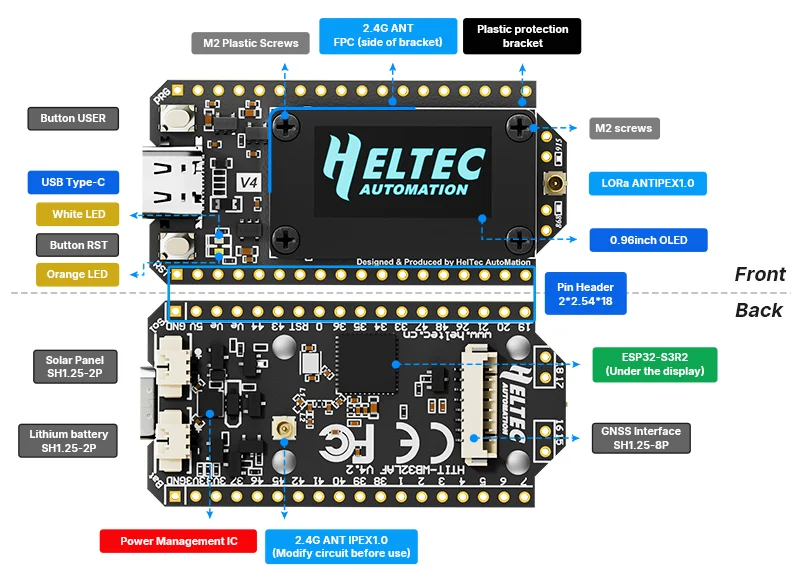
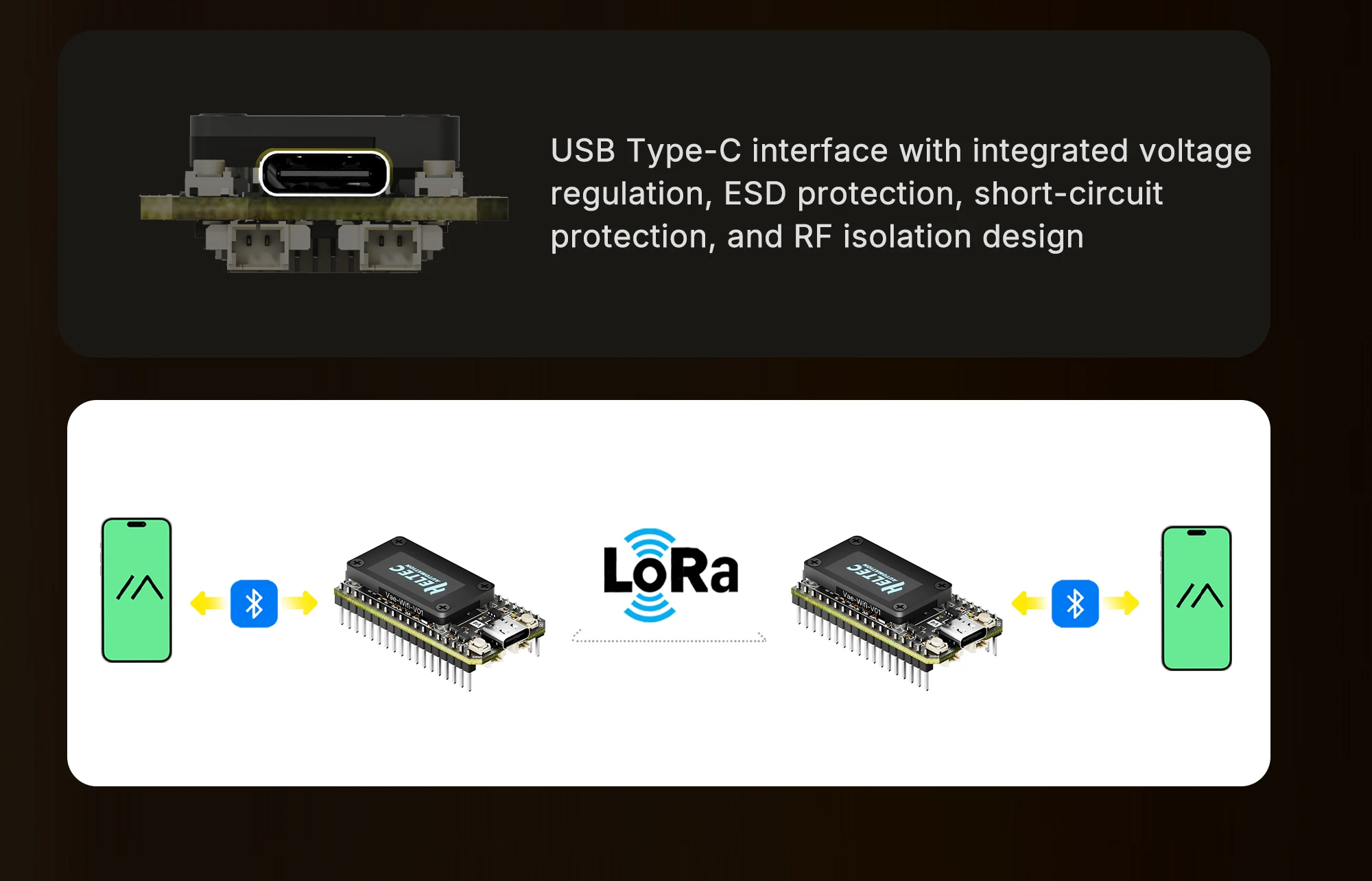
USB Type-C; SH1.25-2P lithium battery interface; SH1.25-2P solar panel interface; 2*IPEX1.0 ANT(LoRa&2.4G); 2*18*2.54 Header Pins, 2*2*2.54 Header Pins |
|
Operating Temperature |
-40~85℃(OLED operating temperature: -40~ 70°C) |
|
Dimensions |
51.7 * 25.4* 10.7mm |
Summary
Main Features
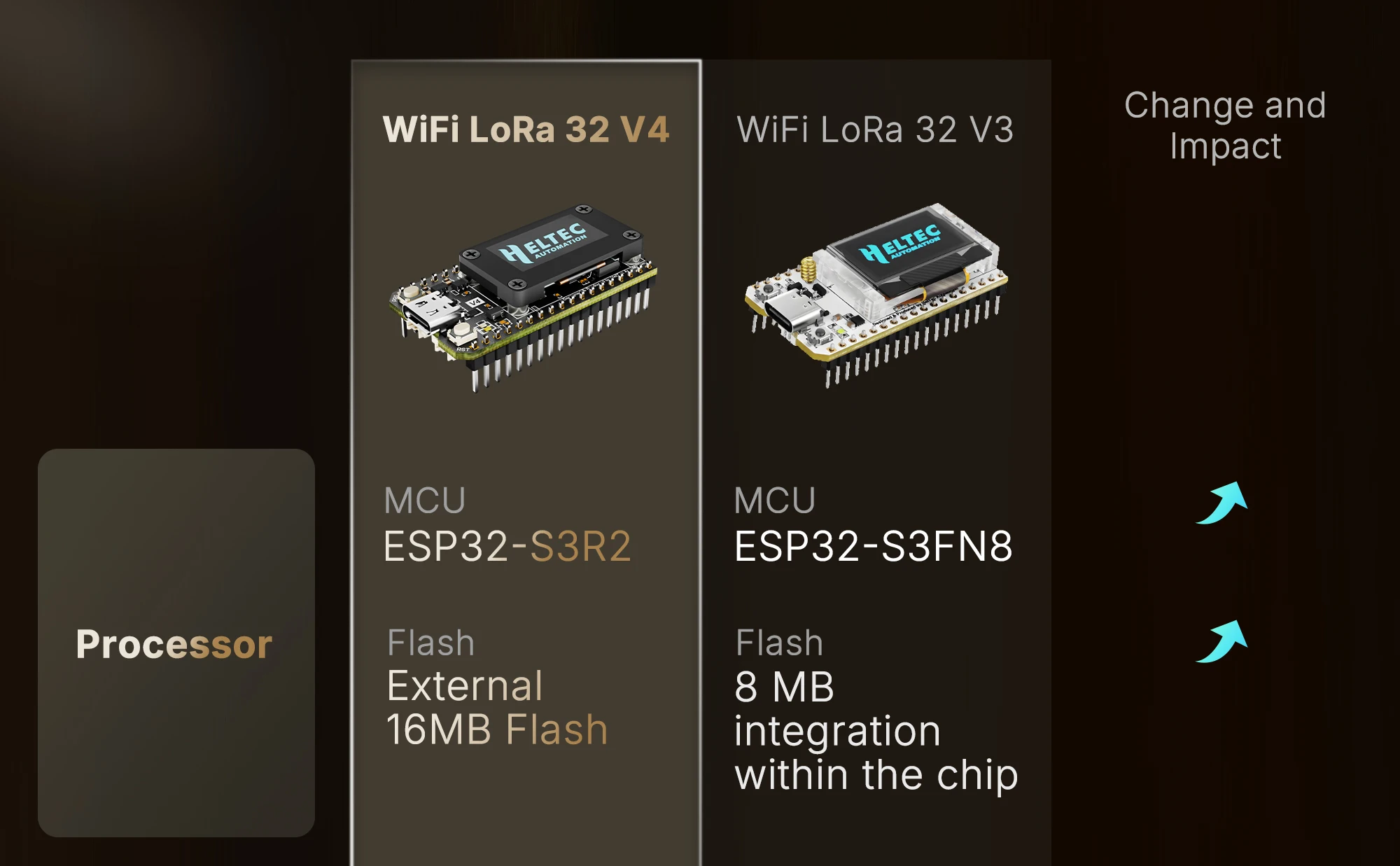
Engineered with Advanced ESP32-S3 & LoRa SX1262 Chips
-
Meet the brain of your next project: our fully upgraded Heltec WiFi LoRa 32 V4 development board.
At its core lies the powerful ESP32-S3R2 dual-core processor, a significant leap from older ESP32
versions. Paired with the robust Semtech SX1262 LoRa transceiver, this combination delivers
unparalleled processing power and efficient long-range communication.
-
With generous 2MB PSRAM and 16MB external Flash memory, it effortlessly handles complex code,
sophisticated user interfaces, and extensive IoT device data, ensuring smooth and responsive
performance for your most demanding applications.
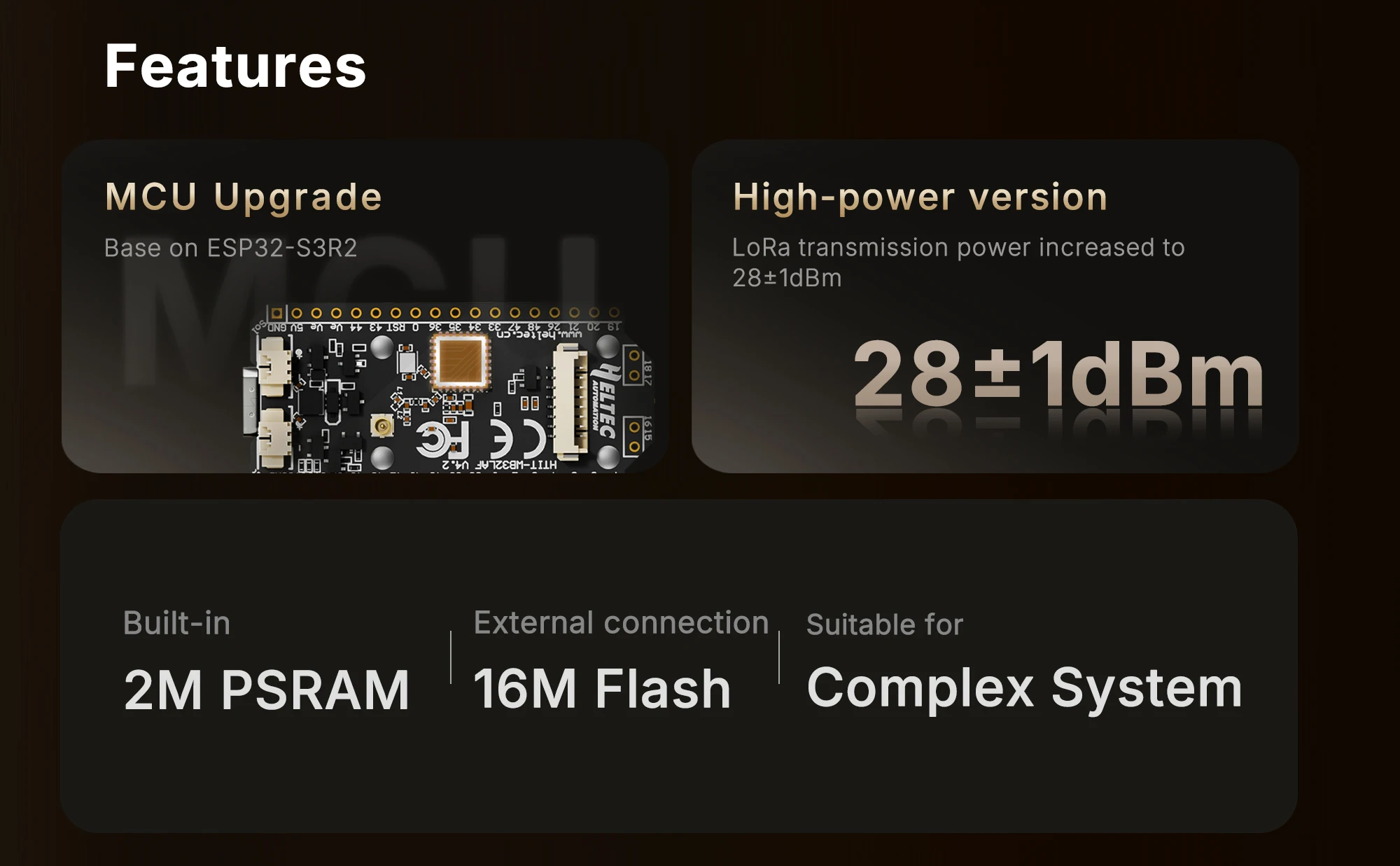
27dBm High Power Transmission for Unmatched LoRa Range
-
Push the boundaries of wireless communication. Our V4 development board boasts a massive
27±1dBm transmit power and an exceptional -137dBm receiving sensitivity. This means you can
build Meshtastic devices and LoRa radio networks that reach farther and connect more reliably than
ever before.
-
Whether you're covering a smart farm, a large industrial facility, or an urban neighborhood, our
board ensures your data packets get through, making it the ultimate solution for long-range, low-
power applications.
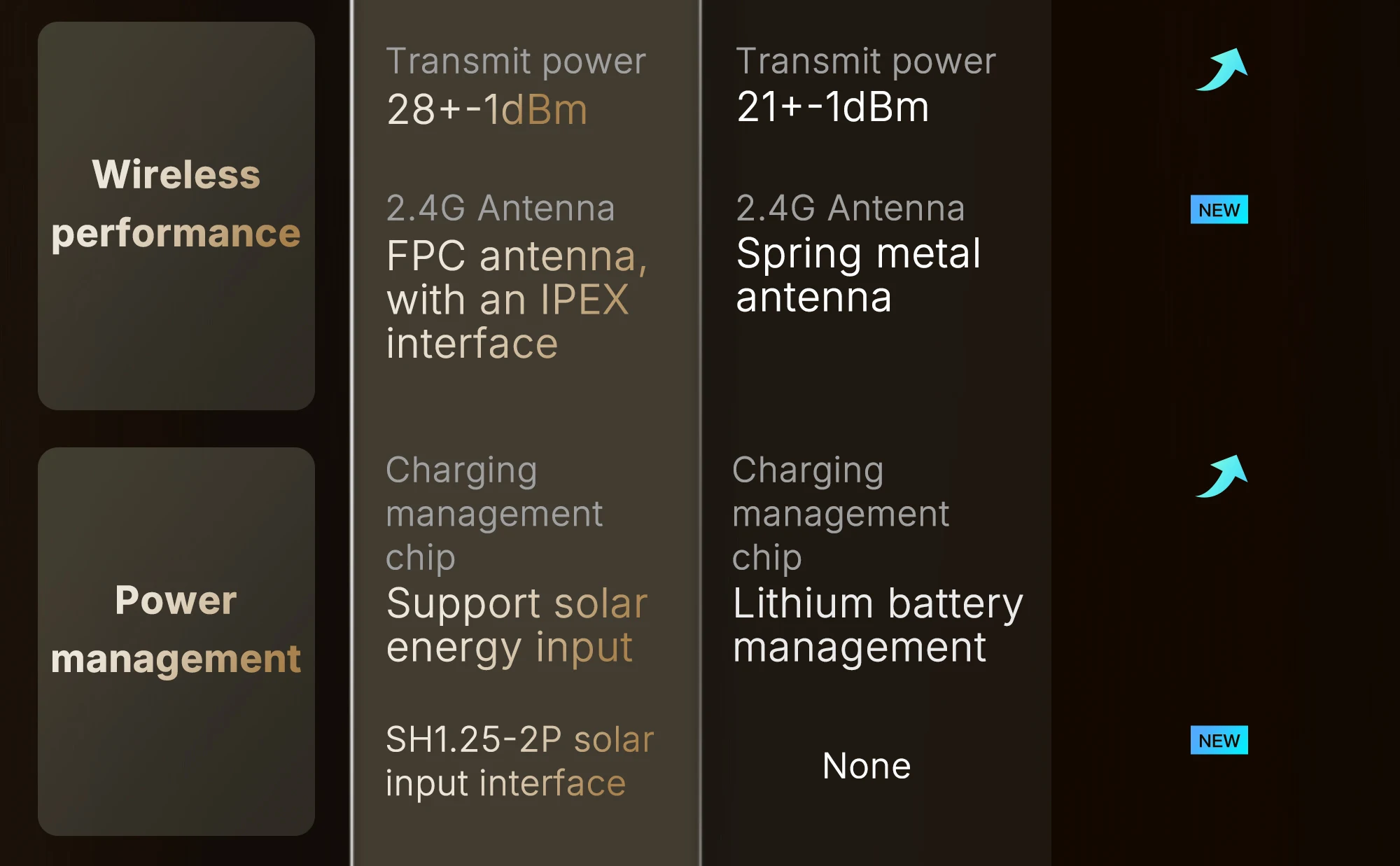
Advanced Solar Charging & Ultra-Low Power Management
-
Designed for 24/7 outdoor and off-grid operation. We've revolutionized the power management
system, featuring an ultra-low deep sleep current of less than 20μA for years of battery life.
-
The dedicated solar panel interface allows you to harness the sun's energy, creating self-sustaining
Meshtastic solar nodes for permanent outdoor installations. The optimized lithium battery
management ensures safe and efficient charging, making it perfect for asset tracking and remote
monitoring.
GNSS Port for GPS Connectivity & Accurate Tracking
-
Add precise geolocation to your IoT devices with ease. The V4 introduces a dedicated SH1.25-8P
GNSS interface, designed for plug-and-play connectivity with external GPS modules (not included).
-
This critical feature enables high-accuracy asset tracking, vehicle monitoring, and any application
requiring exact location data. Build sophisticated Meshtastic GPS nodes that don't just communicate
but also know exactly where they are.
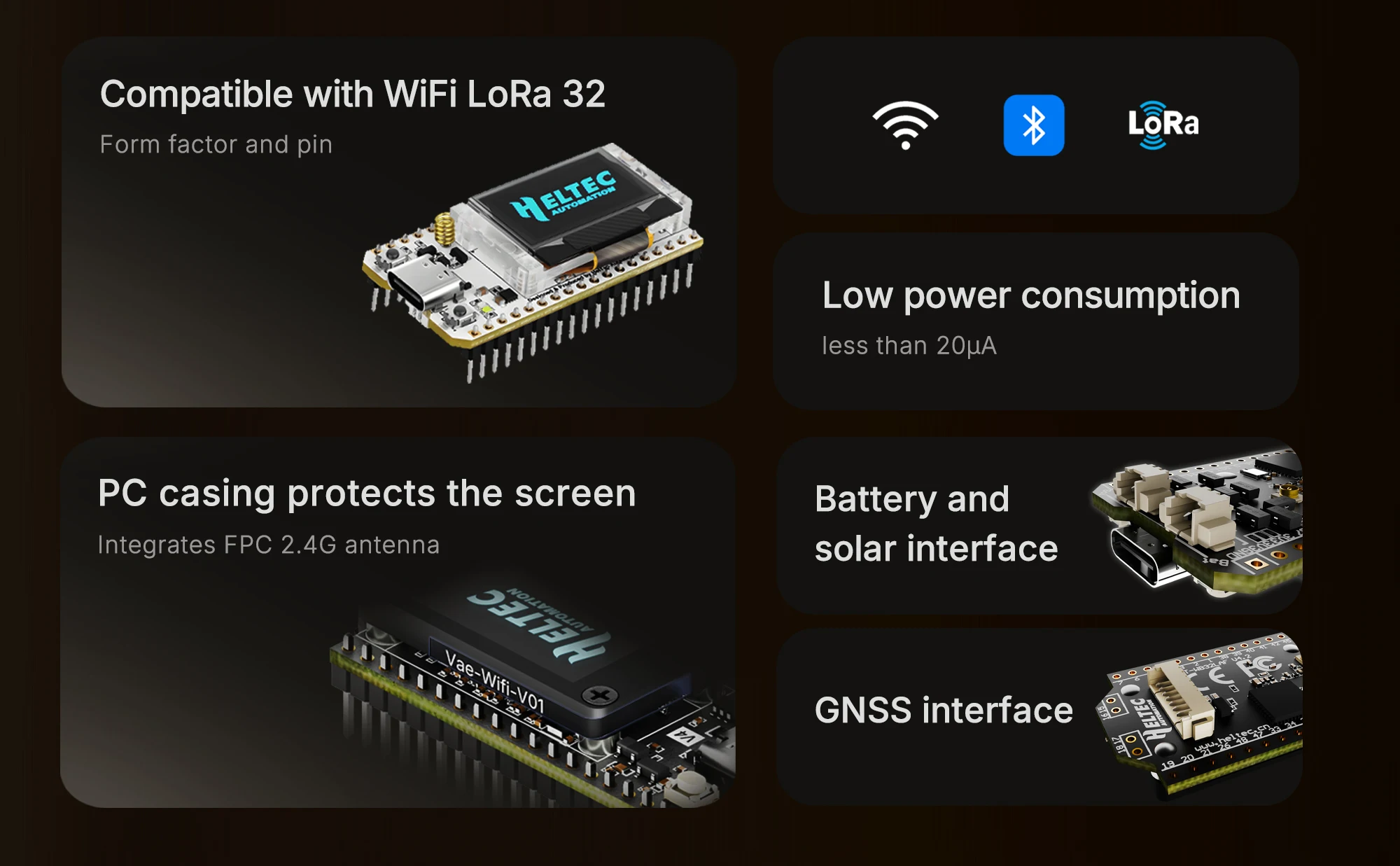
Pin-to-Pin Compatible with Popular V3 Design
-
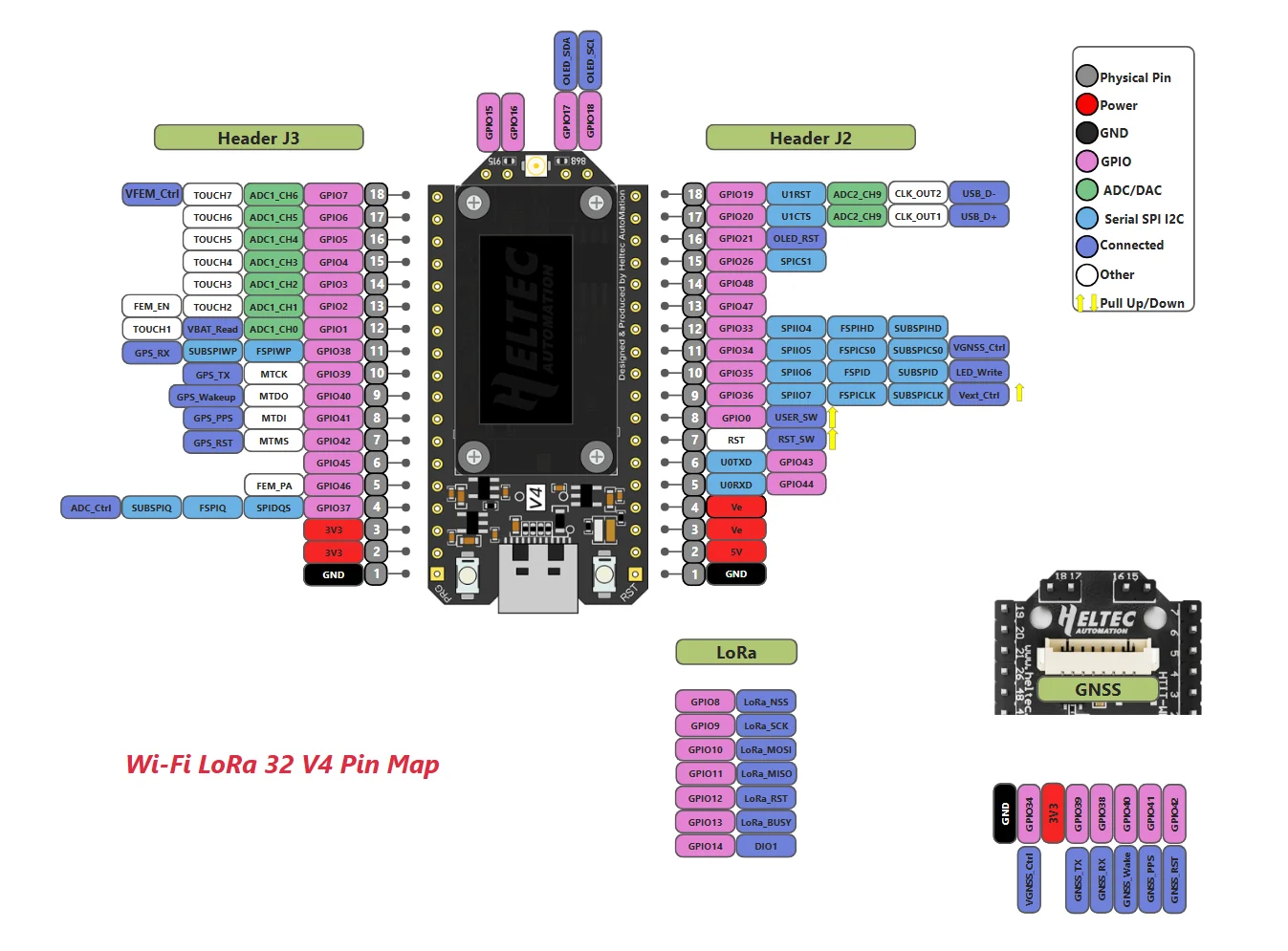
Upgrade your projects without redesigning your hardware. The LoRa 32 V4 maintains full pin-to-pin
compatibility with the widely adopted Heltec LoRa 32 V3, protecting your investment in existing
shields and accessories.
-
The familiar layout, combined with expanded interfaces, makes migration seamless. Jump into
development immediately with support for Arduino and PlatformIO, accelerating your path from
concept to functional IoT prototype.
Hardware Version Comparison
|
Parameters |
V3 |
V4 |
|
MCU |
ESP32-S3FN8 |
ESP32-S3R2 |
|
Flash |
8MB (integrated) |
16MB (external) |
|
USB to Serial Chip |
CP2102 |
Removed CP2102 |
|
Power Management |
Standard Li-ion management IC |
Upgraded IC supporting solar input |
|
Solar Input |
Not available |
Added SH1.25-2P interface |
|
LoRa TX Power |
21±1dBm |
28±1dBm |
|
2.4G Antenna |
Metal spring antenna |
FPC antenna + IPEX connector |
|
GPS Interface |
Not available |
Added SH1.25-8Pin interface |
|
Peripheral I/F |
36-pin |
40-pin |
|
Screen Connection |
Soldered |
Soldered + B2B connector |
|
Pin Craft |
Silver-plated |
Gold-plated |
|
Screen Bracket |
Partial protection |
Full protection |
FAQ
1.12.4GHz Antenna
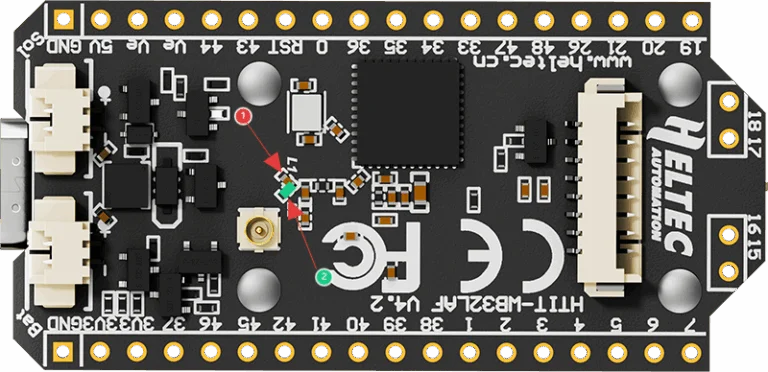
The default 2.4G FPC antenna is located on the side of the plastic screen bracket.
If you wish to use an IPEX-connected 2.4G antenna, you need to remove the inductor marked as ① in
the diagram below, and add a 0-ohm resistor (or other conductive metal or cable) at the position
marked ② to connect to the IPEX interface.
2.What development methods does it support?
●Arduino
●Micro Python
●Platform.io
●Espressif IDE
We strongly recommend using Arduino. We have complete technical support and provide complete
LoRaWAN code for ESP32 Arduino framework.
3.What’s the battery socket type?
You can find this type of socket by search “SH1.25 x 2”.
4.Can I order a version without the OLED display?
Of course, you can contact our sales staff and provide your ideas.
5.Are V3 and V4 compatible?
They are compatible in most scenarios.
Since V4 uses the same series of chips as V3, features the same OLED, and has an almost identical
pin layout, V3 and V4 can be used interchangeably in the majority of cases.
However, due to the increased transmit power, the transmit power settings in some code may no
longer correspond directly to the actual output.
6.Failed to upload code
Please try the following steps:
1.Try using a different USB cable.
2.Enter BootLoader mode. There are two methods to enter this mode:
●Hold down the PRG button, connect the USB-C cable, then release the PRG button.
●Connect the USB-C cable, hold down the PRG button, press the RST button once, then release the
PRG button.